IntegrationsGuides
Unify product codes so your data matches
A step-by-step guide
Several codes for the same product make matching sales and stock harder. Unifying codes by product ID connects records that belong together.
What to prepare
The product ID and the correct resulting code. Check variants, sizes and packaging before making a change.
Step by step
- Find the product ID and verify that the records refer to the same product or variant.
- Open the product code unification section.
- Enter the identifier in Product ID and the desired final value in Product code.
- Review the values before confirming: the change applies to every product with that ID.
An example from the application
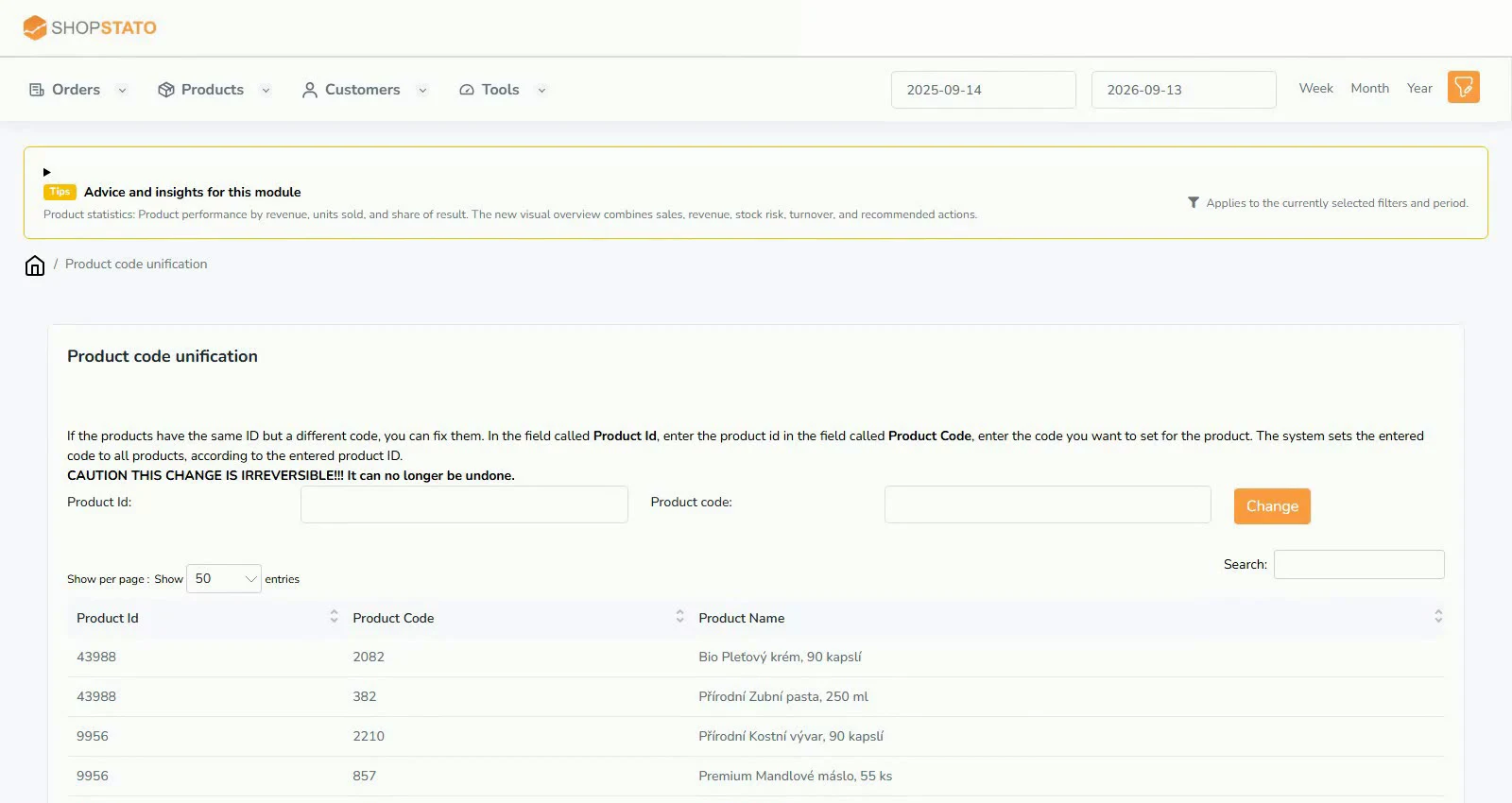 Enlarge screenshot ↗
What to consider when interpreting the result
A product name alone may be ambiguous. Verify what the product ID represents, especially for sizes, colours and packs.
Continue in the application
Application links require sign-in. Access to a report depends on your permissions and the relevant module.
Source: Shopstato help centre . This English guide adds practical context and examples from English video tutorials.