IntegrationsGuides
Two-factor authentication: add a second lock to your account
A step-by-step guide
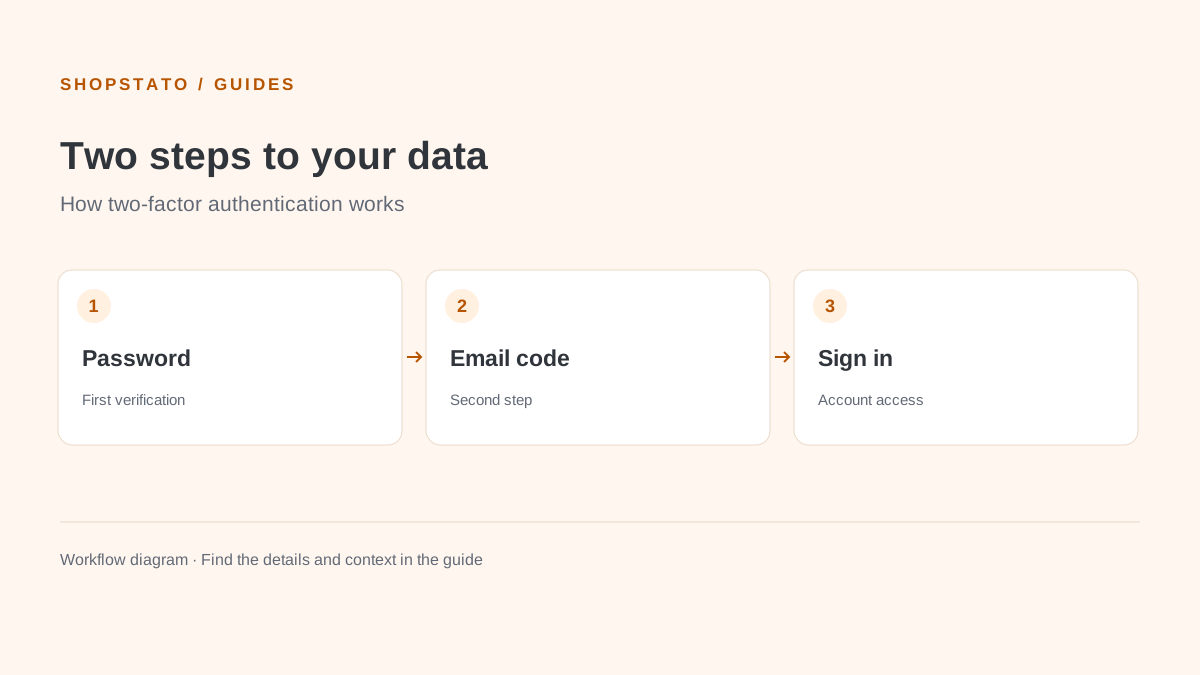
Add a one-time email code to your password. Two-factor authentication helps protect access to your business data if someone learns your password.
What to prepare
Access to the email inbox associated with your account.
Step by step
- Open Profile → Settings.
- Enable two-factor authentication (2FA).
- At your next sign-in, enter your password and the code delivered to your inbox.
- Protect the email account with its own strong password and two-factor authentication.
What to consider when interpreting the result
Shopstato uses an email code as its second step, according to the help. Your inbox security is therefore part of your account security.
Continue in the application
Application links require sign-in. Access to a report depends on your permissions and the relevant module.
Source: Shopstato help centre . This English guide adds practical context and examples from English video tutorials.