RFM analysis: turn purchase history into customer segments

A step-by-step guide
5 screenshotsVideo tutorial ↓

RFM combines recency, frequency and monetary value. Identify loyal customers, new opportunities and valuable customers who are becoming inactive.

What to prepare

Order history with consistent customer identification and appropriate segment thresholds.

Step by step

  1. Check order history and customer matching.
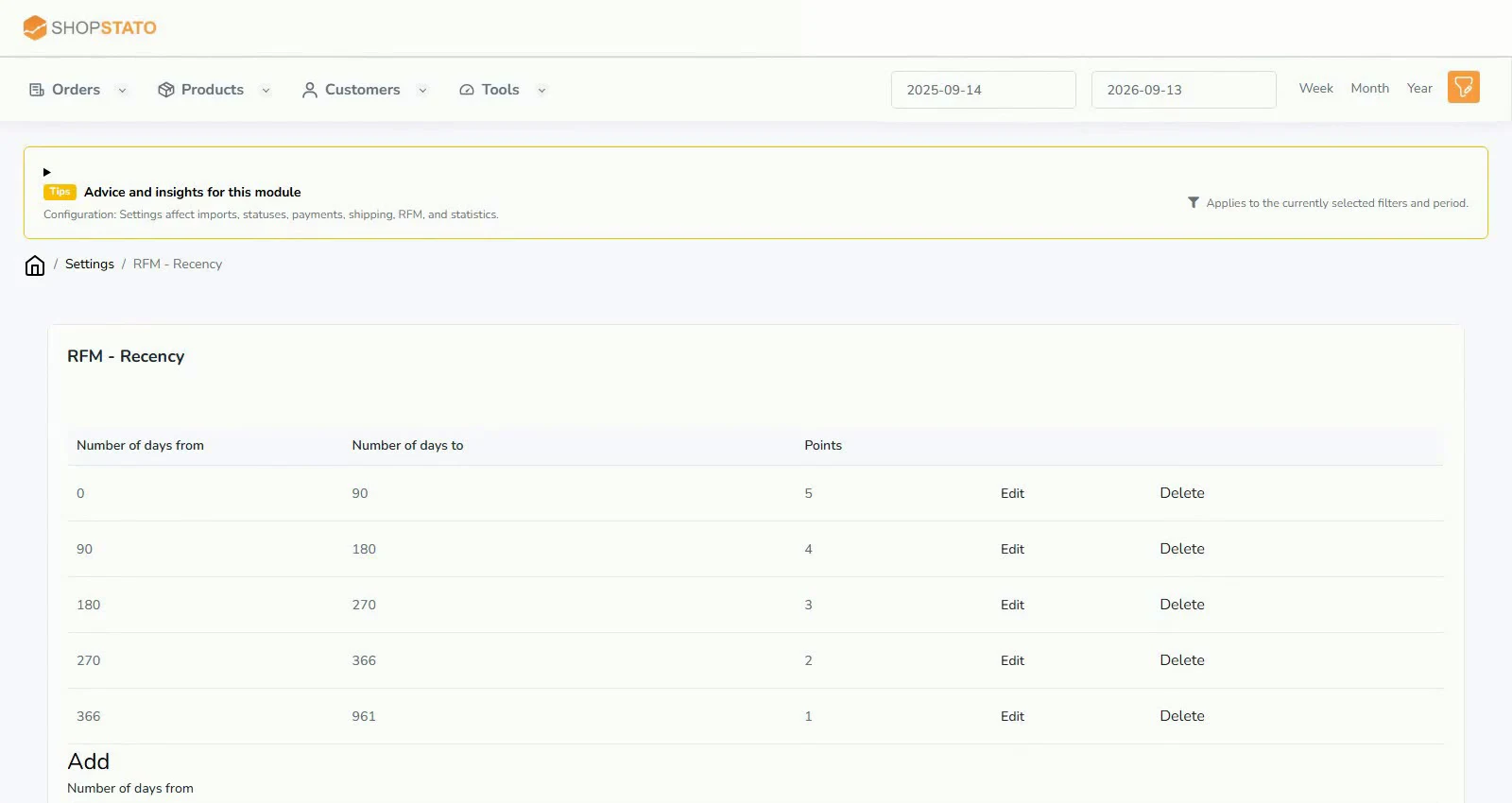
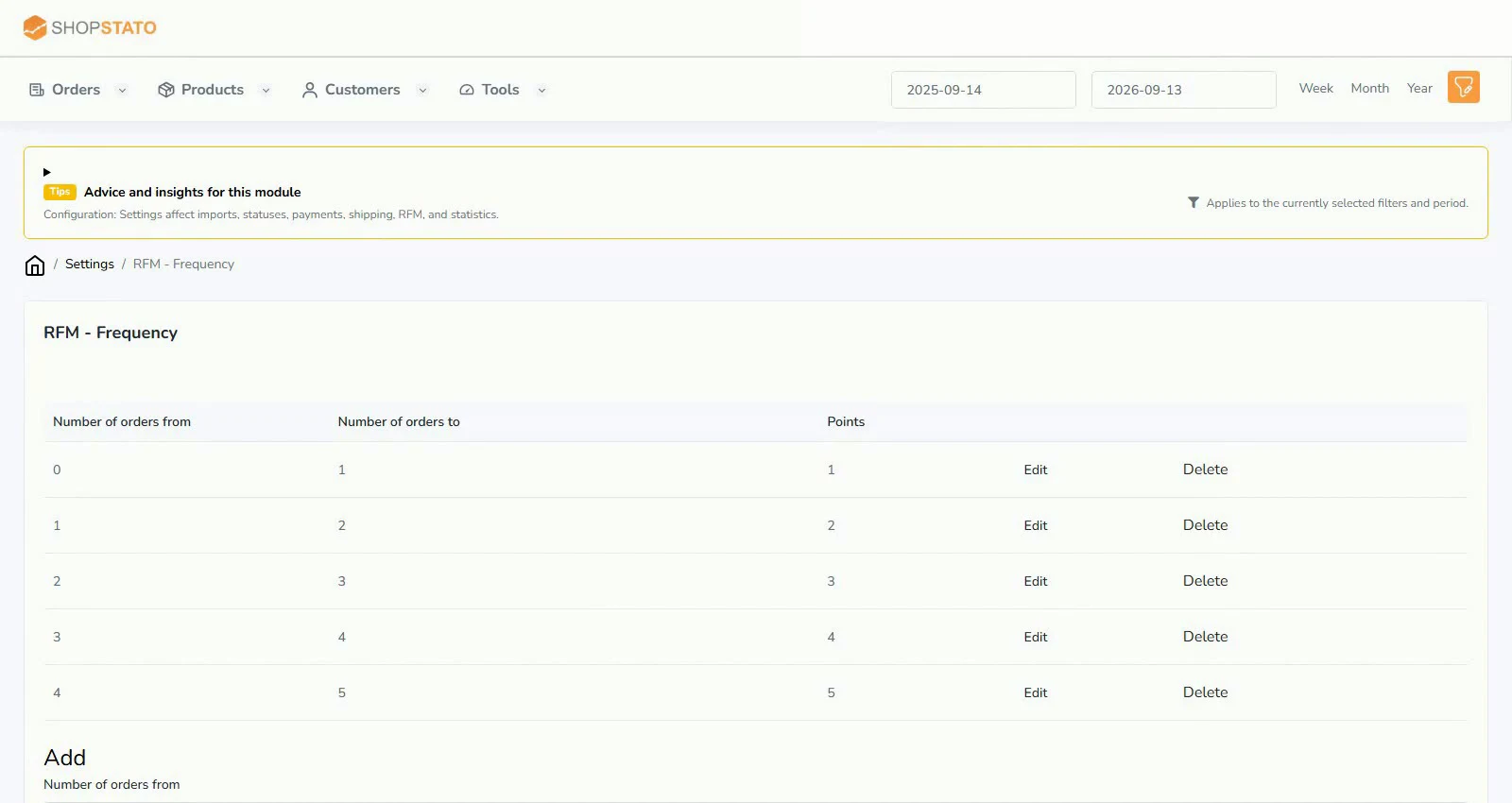
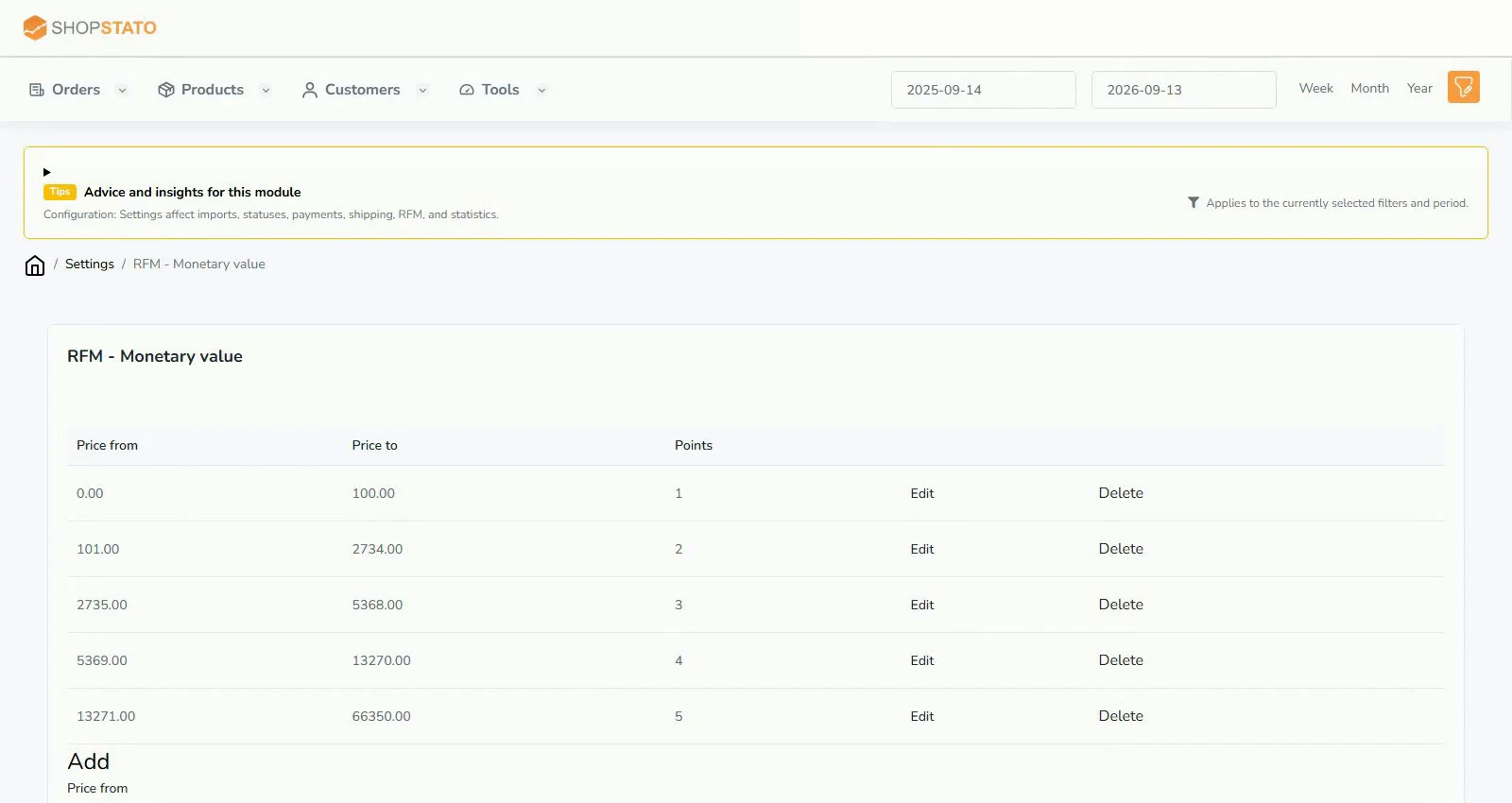
  2. Review Recency, Frequency and Monetary together.
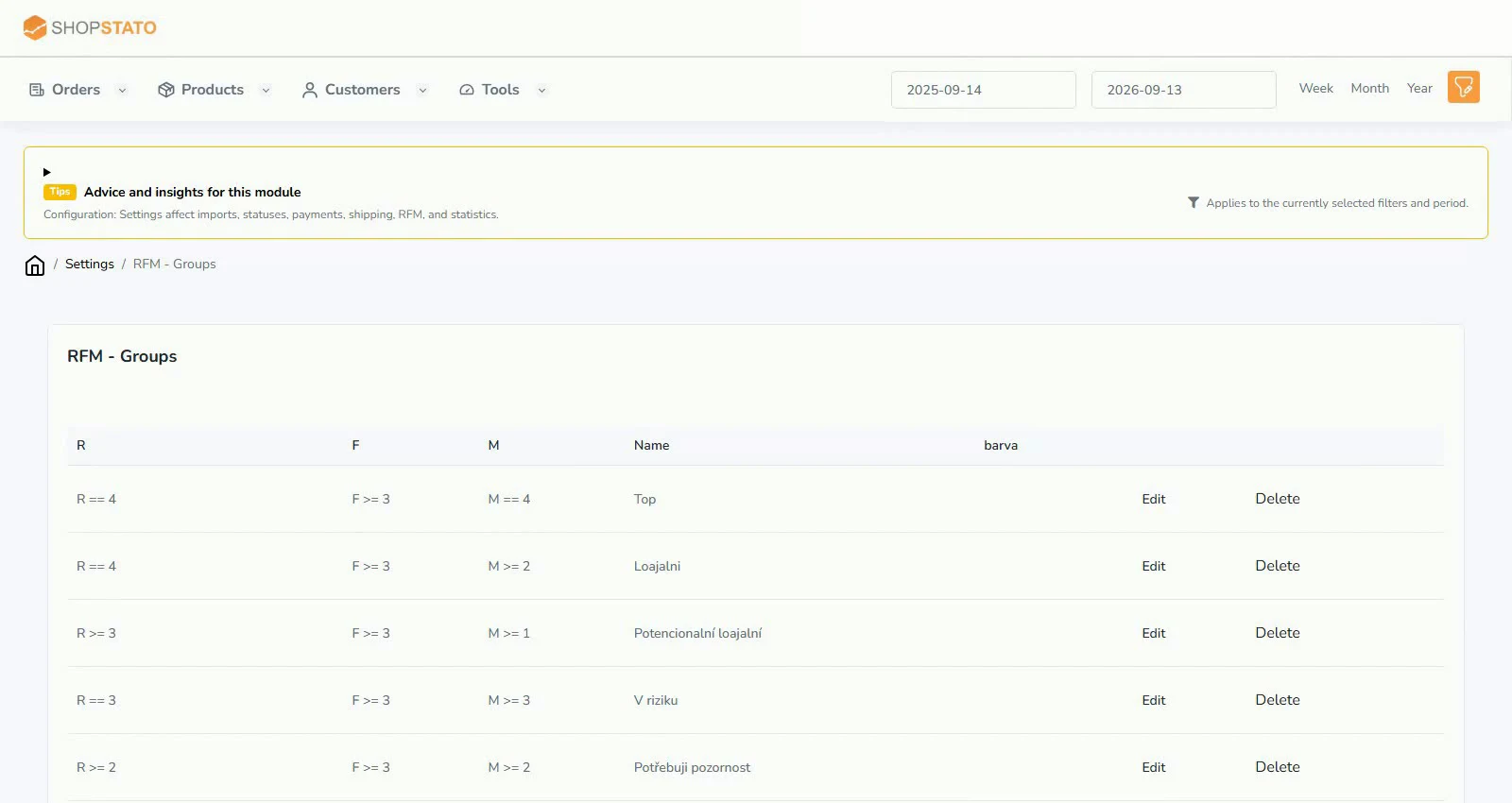
  3. Verify the boundaries created by the initial RFM segment configuration.
  4. Choose a follow-up action for one segment and monitor its result over time.

Examples from the application
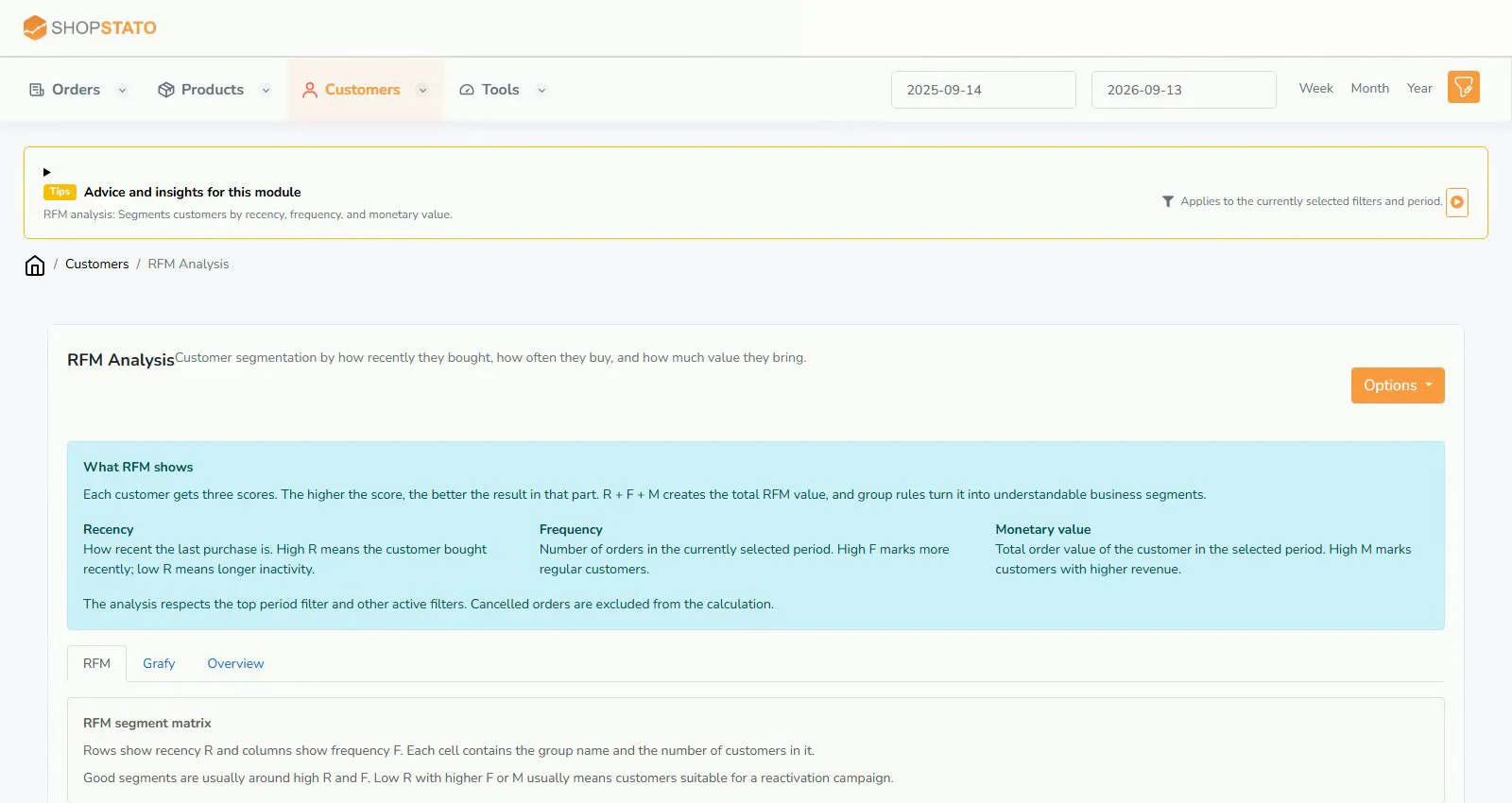
RFM analysis: turn purchase history into customer segments – actual Shopstato interfaceEnlarge screenshot ↗
RFM analysis: turn purchase history into customer segments. From the English video tutorial; the values belong to its demonstration.
Recency settings – actual Shopstato interfaceEnlarge screenshot ↗
Recency settings. From the English video tutorial; the values belong to its demonstration.
Frequency settings – actual Shopstato interfaceEnlarge screenshot ↗
Frequency settings. From the English video tutorial; the values belong to its demonstration.
Monetary settings – actual Shopstato interfaceEnlarge screenshot ↗
Monetary settings. From the English video tutorial; the values belong to its demonstration.
RFM group settings – actual Shopstato interfaceEnlarge screenshot ↗
RFM group settings. From the English video tutorial; the values belong to its demonstration.

What to consider when interpreting the result

Historical value alone is not enough. A good customer who has not ordered recently needs different care from an active new customer.

Continue in the application

Application links require sign-in. Access to a report depends on your permissions and the relevant module.

Watch the steps

Explore the feature on video

English Shopstato video tutorial. Open separately ↗

Read the video transcript

RFM analysis – splits customers by three things: how recently they bought, how often and for how much.

Recency, frequency and monetary value – from these the system automatically builds business-friendly segments.

You can then browse customers as a segment matrix or a summary overview – you know right away who to focus on and who to try to win back.

Source: Shopstato help centre . This English guide adds practical context and examples from English video tutorials.
← More articles: Guides

Application screenshot

Your next step

Good decisions start with a clear overview.

Explore your orders, products and customers in one place.

Try Shopstato for free

Which platform does your store use?

Connect WooCommerce with the plugin, or use the API for your custom store.

↑