CustomersGuides
Churn risk: spot customers who are stopping coming back
A step-by-step guide
The churn overview assigns LOW, MEDIUM and HIGH risk based on days since the last order. It helps identify customers needing attention.
What to prepare
Complete customer order history and a consistent way to recognise returning customers.
Step by step
- Open the churn report and check the period.
- Review LOW, MEDIUM and HIGH groups.
- Check the last purchase and previous value of at-risk customers.
- Choose a suitable follow-up segment and monitor results over time.
An example from the application
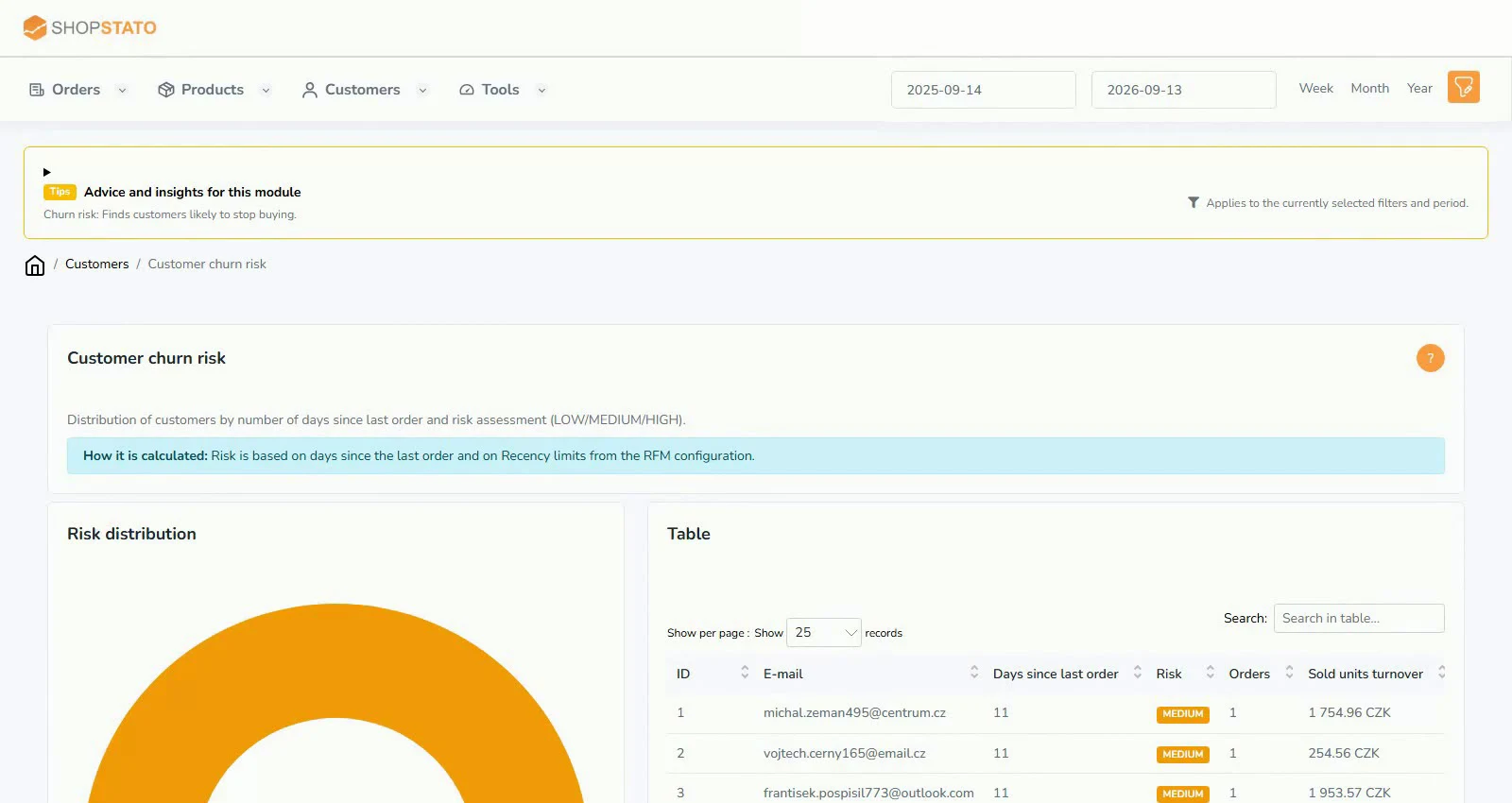 Enlarge screenshot ↗
What to consider when interpreting the result
A long purchase gap means different things for consumables and products bought once every few years. Interpret risk in the context of the buying cycle.
Continue in the application
Application links require sign-in. Access to a report depends on your permissions and the relevant module.
Source: Shopstato help centre . This English guide adds practical context and examples from English video tutorials.