Profit & productsModules
Promotion evaluation: growing revenue is only part of the result
A step-by-step guide
The promotion report compares a campaign with the immediately preceding period of equal length. Revenue, order count and AOV give context to the uplift.
What to prepare
The promotion start and end dates, complete orders and a representative comparison period.
Step by step
- Select the campaign dates and check data completeness.
- Verify the preceding comparison period has the same length.
- Compare Revenue uplift, Orders uplift and AOV uplift.
- Add profit, margin and any circumstances that could affect the comparison.
An example from the application
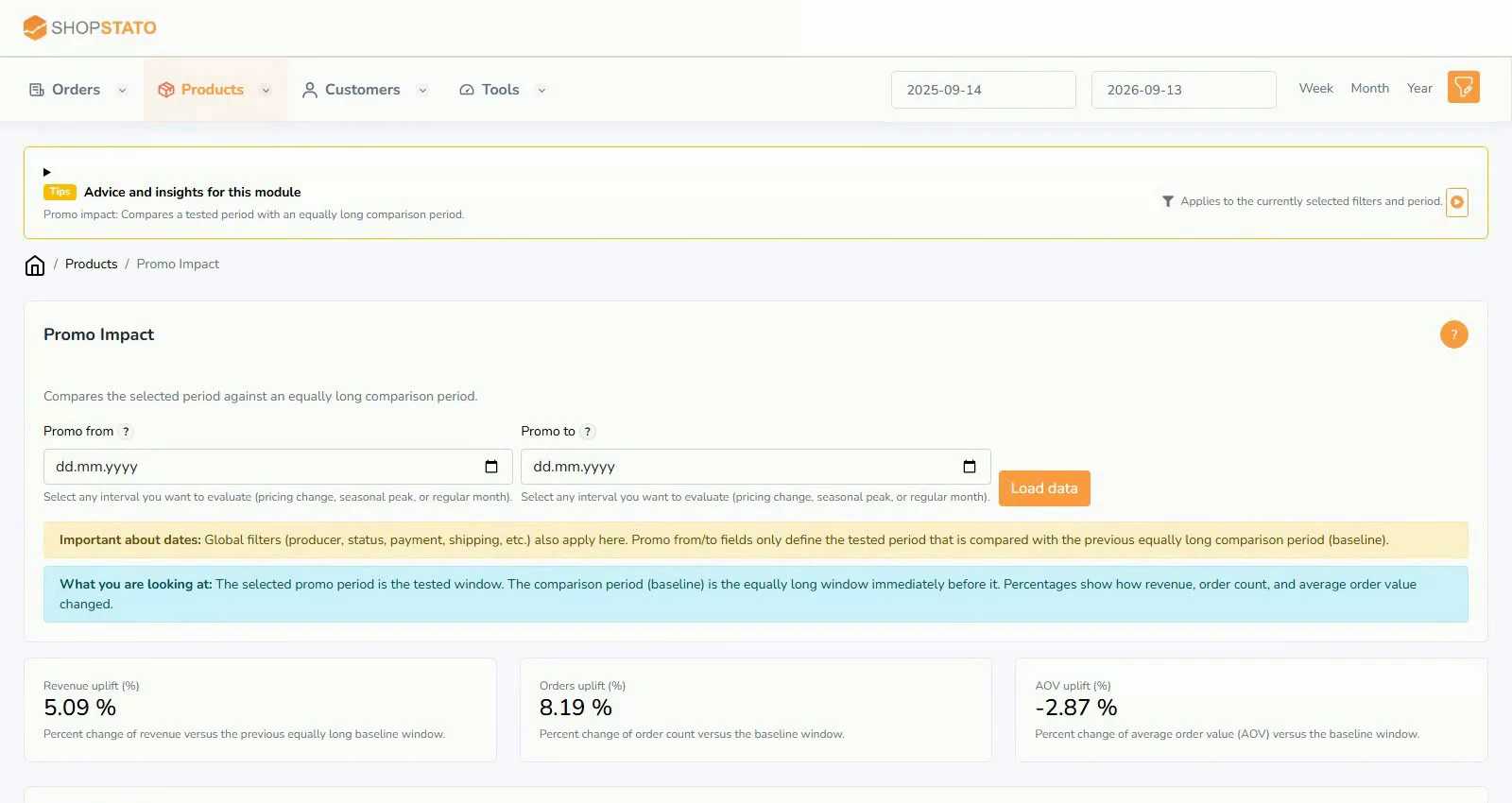 Enlarge screenshot ↗
What to consider when interpreting the result
Comparing adjacent periods does not prove the promotion caused growth. Seasonality, availability or another campaign can affect the result.
Continue in the application
Application links require sign-in. Access to a report depends on your permissions and the relevant module.
Source: Shopstato help centre . This English guide adds practical context and examples from English video tutorials.