InventoryModules
Inventory turnover: where stock turns into sales and where it waits
A step-by-step guide
The same quantity can be a useful buffer or excess inventory. Turnover shows how many days stock takes to sell and where risk builds up.
What to prepare
Sales history and a recent inventory snapshot for matched products.
Step by step
- Check sales history and the date of the latest stock update.
- Choose an appropriate period and consistent order statuses.
- Find fast sellers with low stock and slow sellers with high stock.
- Compare buying plans with ABC analysis and purchasing recommendations.
An example from the application
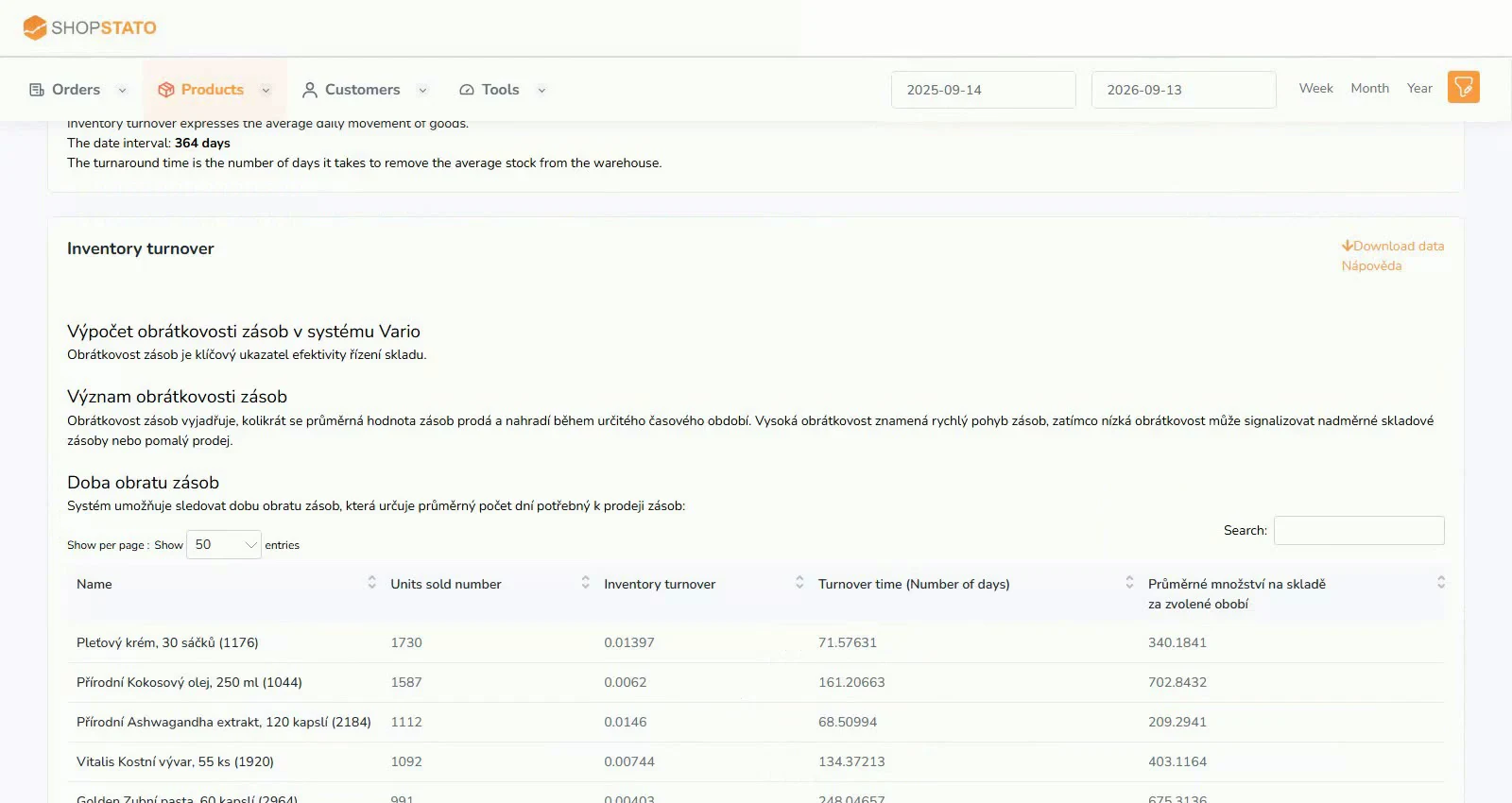 Enlarge screenshot ↗
What to consider when interpreting the result
Short periods and seasonal peaks can greatly change the apparent sales pace. Consider whether that pace is likely to continue.
Continue in the application
Application links require sign-in. Access to a report depends on your permissions and the relevant module.
Source: Shopstato help centre . This English guide adds practical context and examples from English video tutorials.