CompetitionGuides
Assortment Report: turn an XML export into a market overview
A step-by-step guide
A Heureka XML export contains pricing and assortment data that Shopstato turns into product and category reports. Matching starts with a current export and accurate feed data.
What to prepare
The XML Assortment Report export from Heureka, its data date and, where available, the URL of your regular Heureka feed.
Step by step
- Download the current Assortment Report XML from Heureka.
- Open the import section, upload the file and select the data date.
- Provide your regular Heureka feed URL to help product matching.
- Once processed, check products and categories before interpreting the market position.
An example from the application
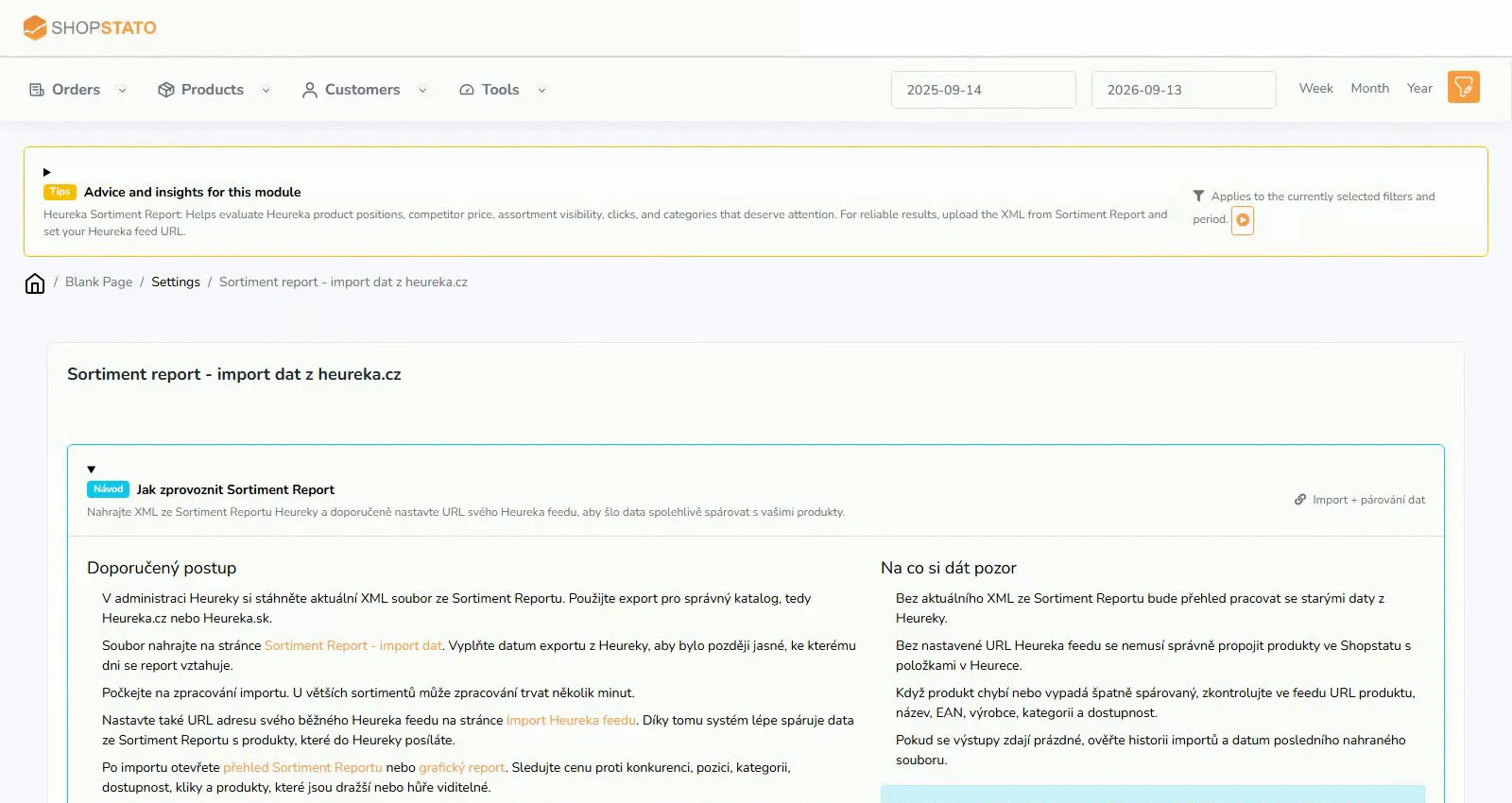 Enlarge screenshot ↗
What to consider when interpreting the result
An export captures a particular date. After correcting a title, EAN or URL, evaluate a new import that actually includes that correction.
Continue in the application
Application links require sign-in. Access to a report depends on your permissions and the relevant module.
Source: Shopstato help centre . This English guide adds practical context and examples from English video tutorials.