Store growthGuides
Business analytics: understand service credits and their use
A step-by-step guide
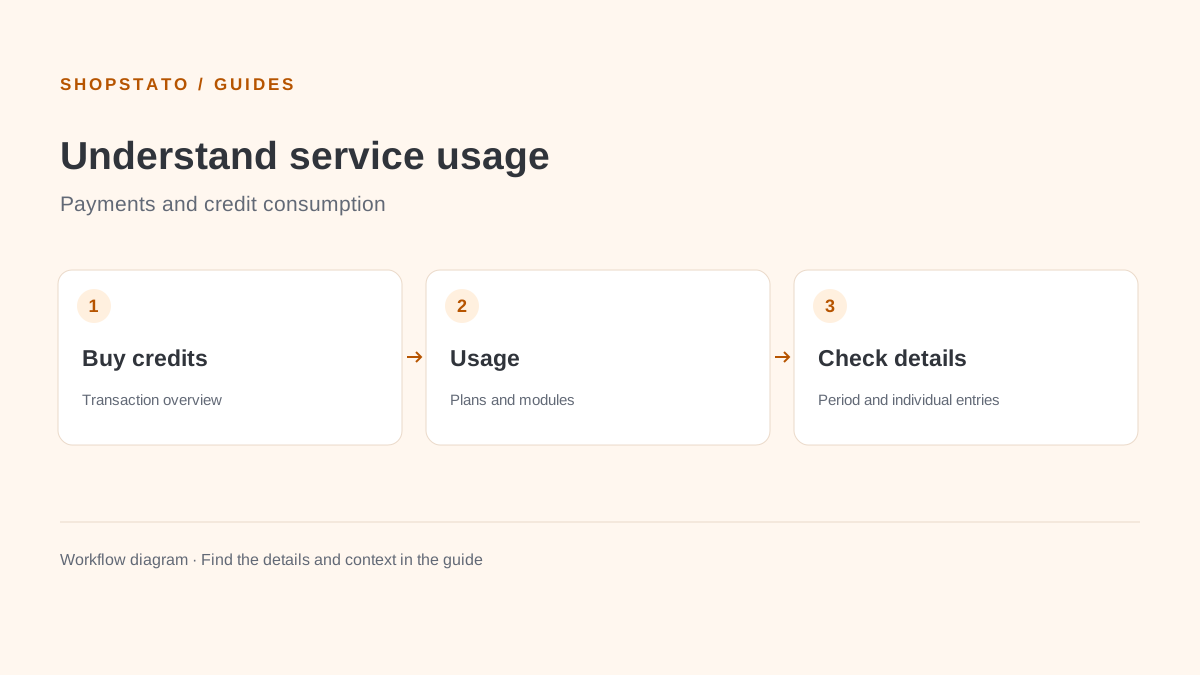
The help describes credit purchases, credit consumption, user activity and consumption structure. This report concerns the service; use Profit for your product profitability.
What to prepare
Access to the relevant service overview. Availability depends on your account permissions.
Step by step
- Select a specific reporting period.
- Review purchased and consumed credits.
- Inspect the underlying transactions and consumption categories.
- Resolve unclear items using their details and the service support team.
What to consider when interpreting the result
Do not confuse service revenue and margin in this overview with your store assortment profitability. Establish which activity you are analysing.
Continue in the application
Application links require sign-in. Access to a report depends on your permissions and the relevant module.
Source: Shopstato help centre . This English guide adds practical context and examples from English video tutorials.