Store growthGuides
Weekly insights: turn alerts into a plan for next week
A step-by-step guide
The weekly digest summarises key insights marked as problems over the last 30 days. It helps prioritise products, customers, shipping and payments.
What to prepare
Current store data and access to the Recommendations / Insights section.
Step by step
- Review the Shop Health Score and problem insights in the email.
- Open the matching insight in Recommendations / Insights.
- Check the current period, filters and data completeness.
- Choose an action and compare the result at the next review.
An example from the application
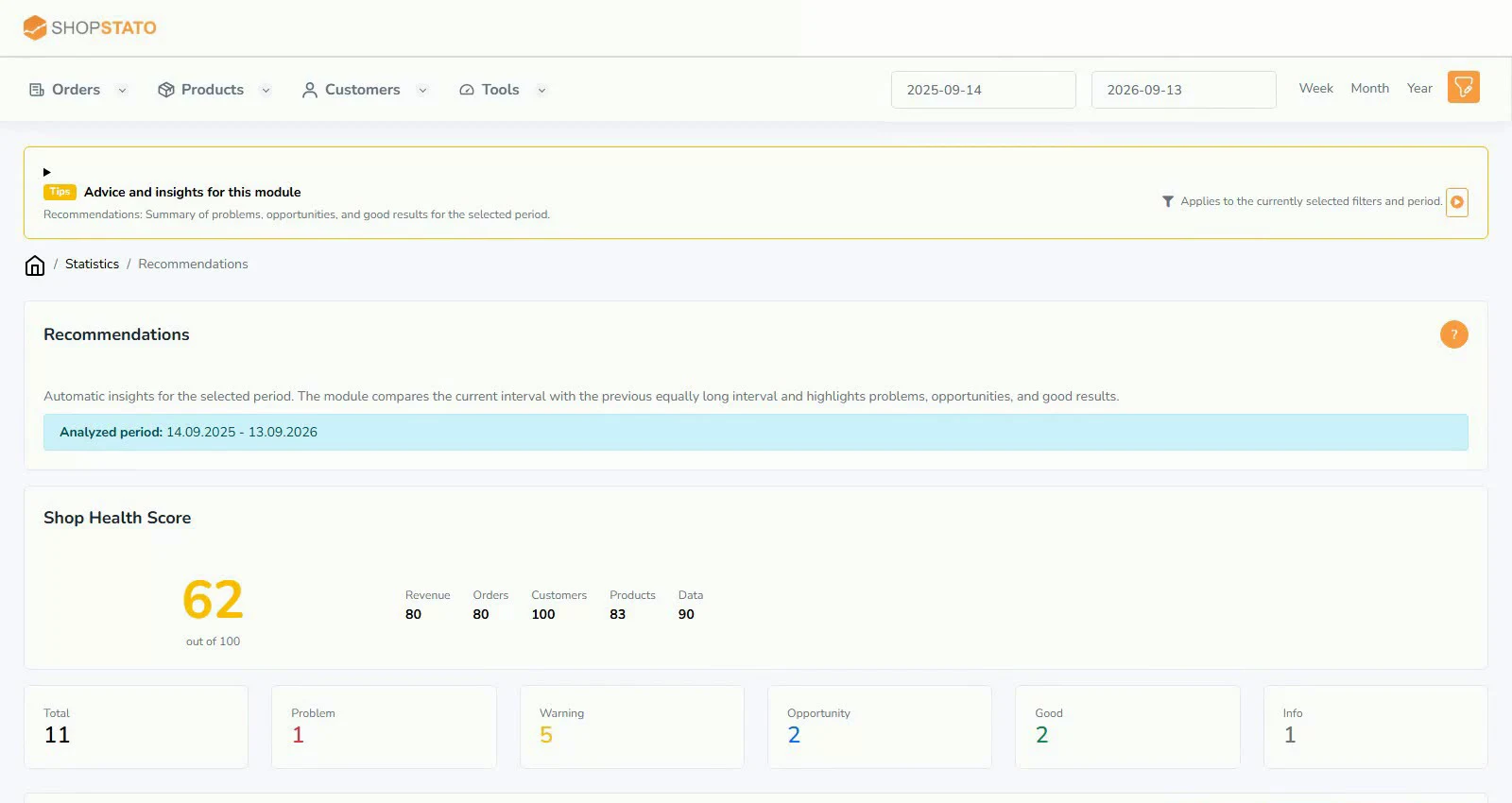 Enlarge screenshot ↗
What to consider when interpreting the result
Investigate recurring issues at the source. Incorrect order statuses, inconsistent shipping methods or incomplete imports can repeatedly trigger alerts.
Continue in the application
Application links require sign-in. Access to a report depends on your permissions and the relevant module.
Source: Shopstato help centre . This English guide adds practical context and examples from English video tutorials.