Profit & productsGuides
Attach rate and cross-sell: discover products that belong together
A step-by-step guide
Joint purchase data helps find relevant accessories and follow-up offers. Attach rate adds context by showing how often a companion item appears with a selected product.
What to prepare
Orders containing correctly identified product items and enough purchases for a useful comparison.
Step by step
- Choose a product and a period with enough orders.
- Review the products bought together and their joint order counts.
- Compare attach rate with the actual number of observations.
- Check usefulness, stock availability and margin before testing a recommendation.
An example from the application
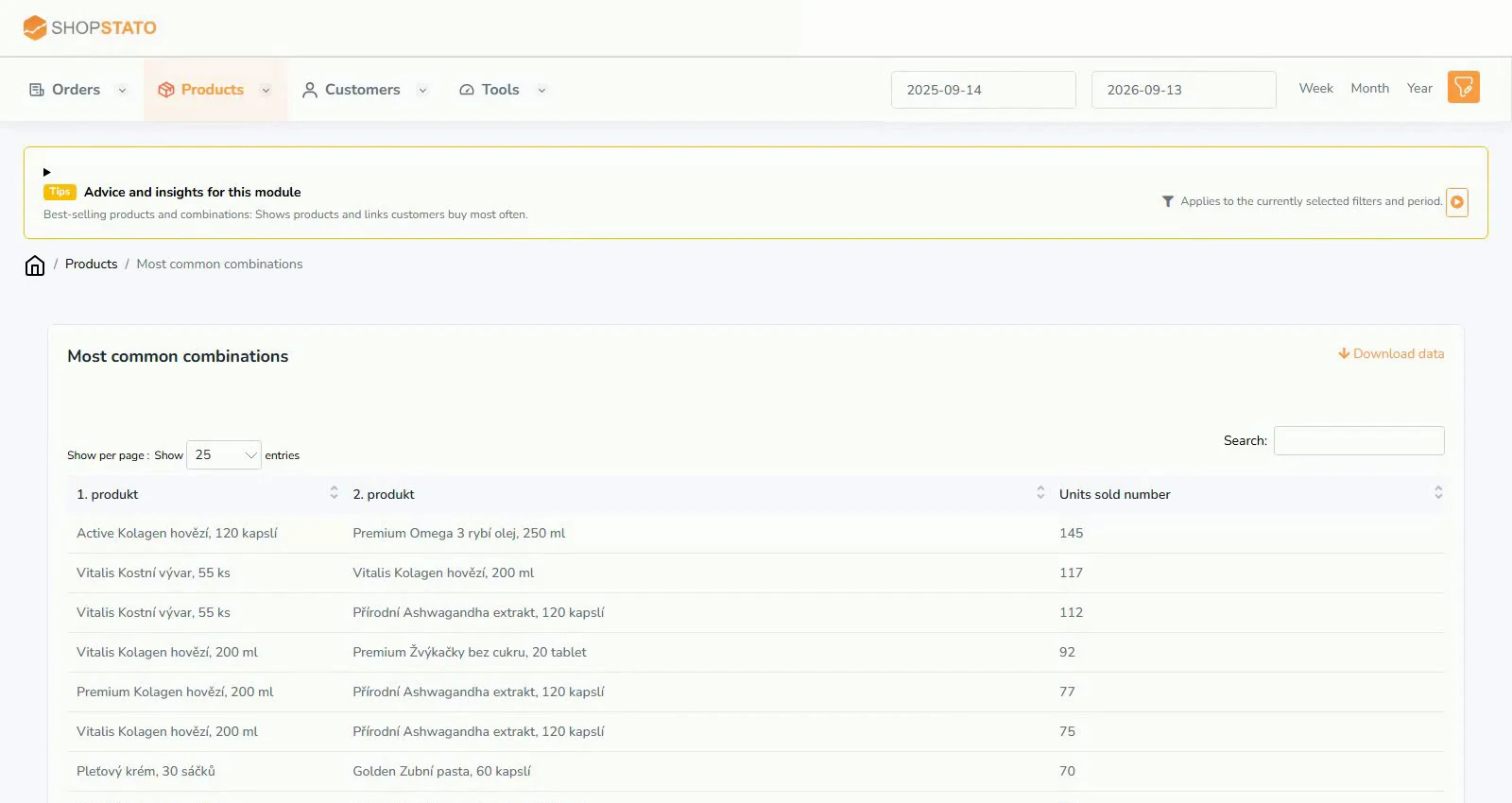 Enlarge screenshot ↗
What to consider when interpreting the result
A high rate based on only a few orders can be misleading. A frequent pair also does not prove that recommending it will cause additional sales.
Continue in the application
Application links require sign-in. Access to a report depends on your permissions and the relevant module.
Source: Shopstato help centre . This English guide adds practical context and examples from English video tutorials.